Drafts can only be edited by their author, however given that people may move on, or become unwell unexpectedly admins and an individual maps author can reassign a draft's author, so the draft can be edited.
As standard, only Admins and the map's author can reassign a draft's author.
- To reassign a draft's author, click on the Process Maps menu item in the Library Content section of the menu.
- Find the Process Map you want to reassign the author of from the list.
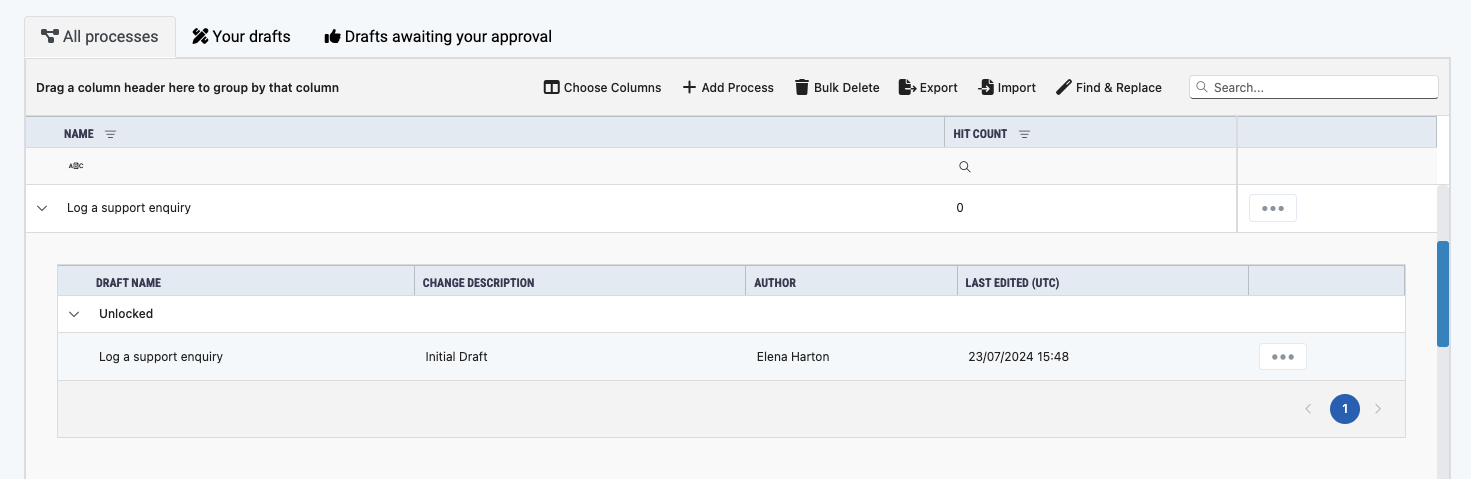
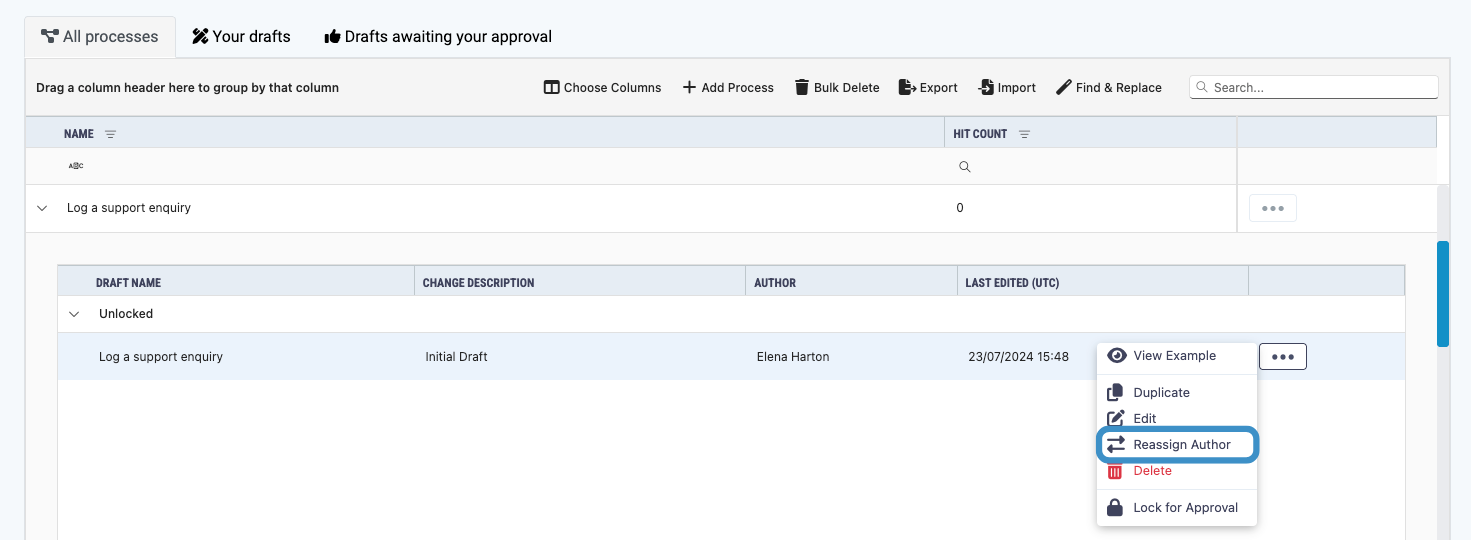
- Click the more button next to your map and select Reassign Author from the dropdown list that appears.
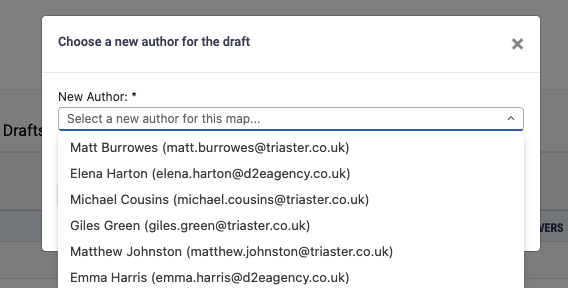
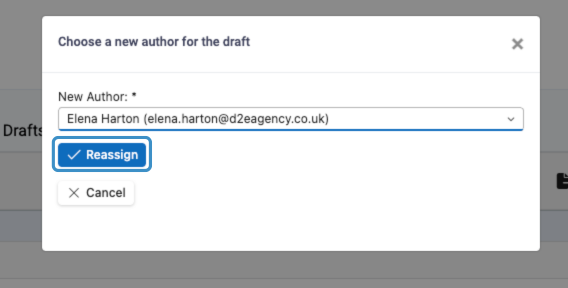
- A pop-up will appear, select a new author from the dropdown list and click Reassign.
- The new author will get an email notifying them that they are now the author of the draft and can edit the process map.