![triaster-logo-hex.svg]](https://knowledge.triaster.co.uk/hubfs/TRIASTER/img/triaster-logo-hex.svg)
The hyperlinks report provides Admins an overview of the hyperlinks in your menu items and approved processes and enables them to check these links to ensure they are valid.
As standard, only Admins can check the hyperlinks in the Hyperlink Report.
Admins can check all the hyperlinks in the Process Library from the Navigation page:
- To view the hyperlinks report click on the Navigation menu item in the Library Settings section of the menu. This will take you to the hyperlinks report page.
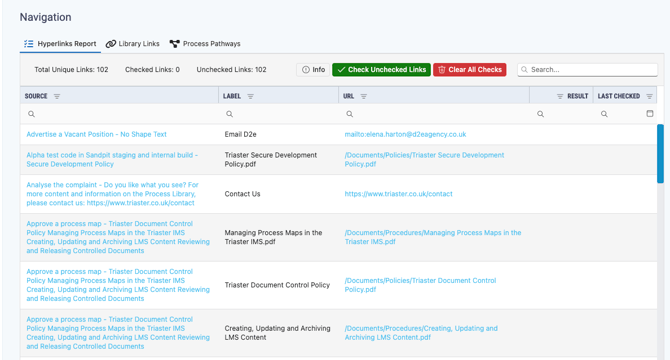
- All the links in the Process Library are displayed in the table with the following column headers:
- Source - the process map the link comes from, clicking on these will take you to the process map
- Label - the hyperlink label
- URL - the link URL, clicking on these will take you to the URL or the menu item if it is a menu link
- Result - the result of link checking
- Last checked - the date the link was last checked
If you have not checked your links the result and last checked columns will be blank.
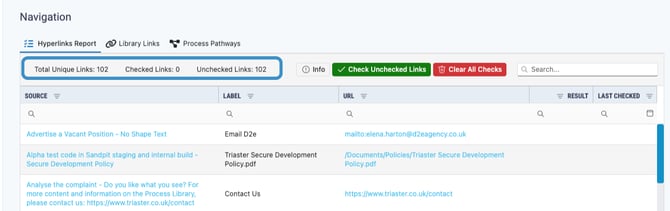
- The total number of unique links, the number of checked links (links which have been tested) and the number of unchecked links are displayed in the menu section of the page.
- Click Check Unchecked Links to test the links.
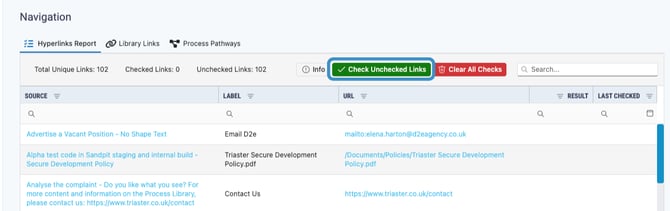
This is queued so users can navigate off the page while the links are being checked.
- Once the check is run the results will display in the results section, these include:
- OK - Hyperlink is valid
- Not Found - Hyperlink target was not found. The link may be incorrect, the target deleted, or may not have been published
- Not Tested - The hyperlink was of a type that could not be tested, for example, a mailto link
- Invalid - The hyperlink was malformed. Check the hyperlink for errors such as invalid scheme (http, https, etc) or the use of back slashes (\) rather than forward slashes (/)
- Unauthorized - The target of the hyperlink is located in a secure area/site and could not be tested because of the lack of credentials
This key can be accessed from the Info button on the page.
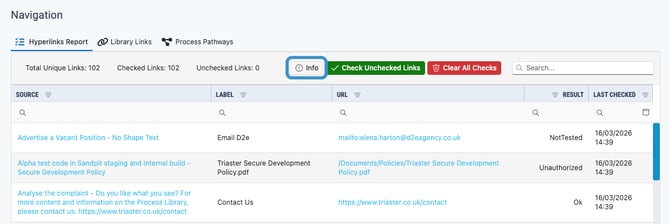
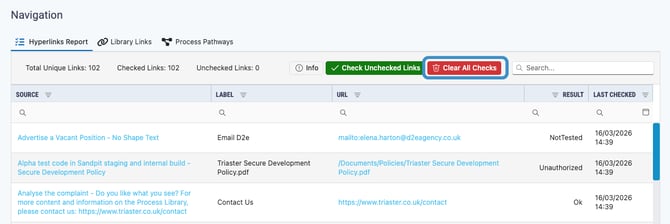
- Once a link has been checked it will remain that way and clicking Check Unchecked Links will only check newly added links. To do a full audit click Clear Unchecked Links and it will clear all results so they can be rechecked.